
TL;DR
Use clear reference photos that show the hearing aid's actual side, shape, and position, then check each generated portrait against those references. Prompts help describe the device, but visual verification should decide whether an image is ready for a professional or personal profile.
A polished portrait should preserve a person's hearing aid as carefully as their face. Choosing an AI photo generator for portraits with hearing aids means treating the device as part of personal likeness, not an optional accessory. For professionals exploring Looktara, a useful starting point is a portrait brief that gives facial identity and hearing-device accuracy equal attention.
Hearing aid: A device designed to improve hearing by making sound audible to a person with hearing loss.
Device fidelity: How closely a generated portrait matches the hearing device's real appearance, location, and relationship to the wearer's ear.
Table of Contents
What makes an AI portrait accurate for hearing-aid wearers?
An accurate AI portrait preserves the wearer's facial likeness and the hearing aid's actual side, shape, color, and placement. A device should remain visible when the reference angle makes it visible, without being enlarged for emphasis or replaced by a different device. Accuracy also includes believable contact with the ear.
The goal isn't maximum visibility in every photograph. Hair, viewing angle, and the device's design can naturally conceal parts of it. A faithful portrait respects those conditions instead of turning a discreet device into a prominent prop.
Device details that belong in the portrait brief
Different hearing-device designs require different reference details.
| Reference detail | What to record | What to compare in the output |
|---|---|---|
| Behind-the-ear housing | Shape and position behind the ear | Housing follows the reference placement |
| Thin wire or tubing | Visible route toward the ear canal | Connection looks continuous and plausible |
| In-the-ear device | Visible shape within the ear | Device stays within the correct ear area |
| Wearing side | Left, right, or both | The same arrangement appears in the portrait |
| Finish and color | Actual device appearance | Color remains consistent under the new lighting |
A cochlear implant's external processor should not be described simply as a hearing aid. The brief should name the device actually worn and describe its visible components without guessing.
Evidence supports caution, not accuracy guarantees
The supplied research doesn't establish hearing-device preservation rates for any portrait generator. The AI100 study panel report, published in 2022, addresses artificial intelligence broadly, rather than validating this specific use case. Provider claims therefore need a practical image check, not borrowed credibility from general AI research.
A convincing face is not sufficient evidence of an accurate hearing device.
How should source photos show hearing aids?
Source photos should show hearing aids clearly while preserving the wearer's normal appearance.
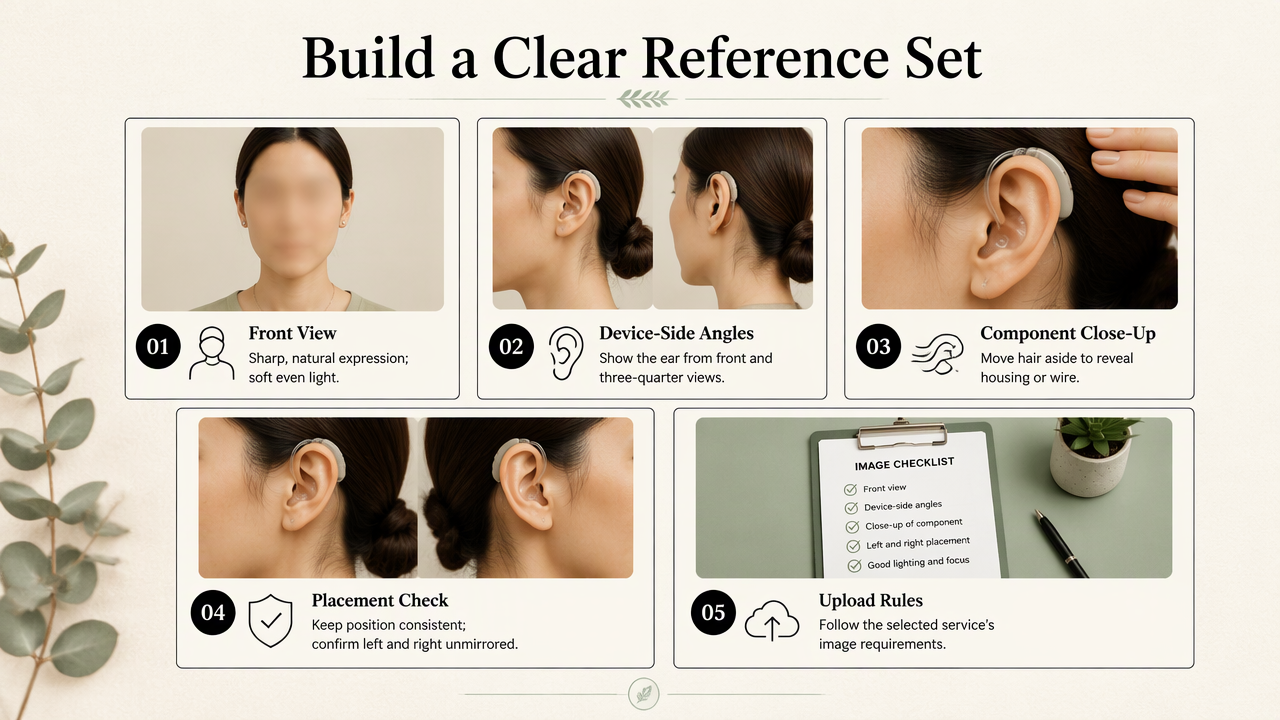
- Include a sharp, front-facing portrait.
- Add angled views showing the device-bearing ear.
- Include a closer reference of visible components.
- Use consistent device placement across the set.
- Confirm left and right using an unmirrored reference.
- Follow the selected service's upload requirements.
Build a reference set around visible evidence
Soft, even lighting helps separate the device from hair and skin. For the reference set, moving hair aside can make the housing or wire easier to identify. The requested final portrait can still use the person's preferred hairstyle.
A close reference should supplement, not replace, normal portraits. Facial identity needs useful evidence too. Images showing a different device, older hairstyle, or changed wearing arrangement should be labeled or excluded so the brief describes one intended appearance.
- Keep original files where available rather than cropped screenshots.
- Include glasses if they belong in the final portrait.
- Avoid filters that alter ear shape or erase fine details.
- Label anatomical left and right, not just the side of the screen.
Selfies deserve special attention because mirrored previews can confuse side placement. A recognizable feature or a checked, unmirrored photograph can serve as the orientation reference.
Describe the device without overloading the prompt
A useful prompt connects the portrait style to a short, concrete device description. For example: Professional head-and-shoulders portrait, neutral background, natural skin texture. Preserve the reference hearing aid behind the anatomical right ear, including its silver housing and visible thin wire. Keep the same glasses and hairstyle.
That example is a template, not a universal specification. Color, device type, and side must match the subject. Prompt wording provides direction; the reference image remains the comparison standard.
How Looktara handles this
Looktara belongs in this workflow as a portrait-creation option guided by a clear brief and the wearer's chosen presentation. For a LinkedIn headshot, that brief can specify framing, clothing, background, and the hearing device's visible details. The same preparation can support a founder portrait, freelancer profile, or creator image.
The wearer should decide how the device appears in the intended composition. Some prefer an angle that shows it clearly; others prefer their everyday hairstyle and a straightforward front-facing pose. Both choices can represent the person honestly.
Separate preparation from output evaluation
Reference preparation and output evaluation serve different jobs: the first supplies evidence, while the second checks the finished image. A service's training or inference terminology doesn't establish faithful device reproduction by itself. No provider-specific guarantee of hearing-aid accuracy is established by the supplied research.
Before submitting photographs, relevant checks include:
- Current upload instructions and available editing controls.
- How photographs and generated images are retained or deleted.
- Whether uploaded images may be used for model improvement.
- Permission from every identifiable person in the references.
A 2025 paper by Qiuxin Du and colleagues examines AI-supported intergenerational communication in virtual reality. Its topic provides broader communication context, not evidence that a portrait tool preserves hearing devices. Publication recency should never substitute for relevance to a specific accuracy claim.
How should generated portraits be verified?
Generated portraits should be verified against the original references before publication.
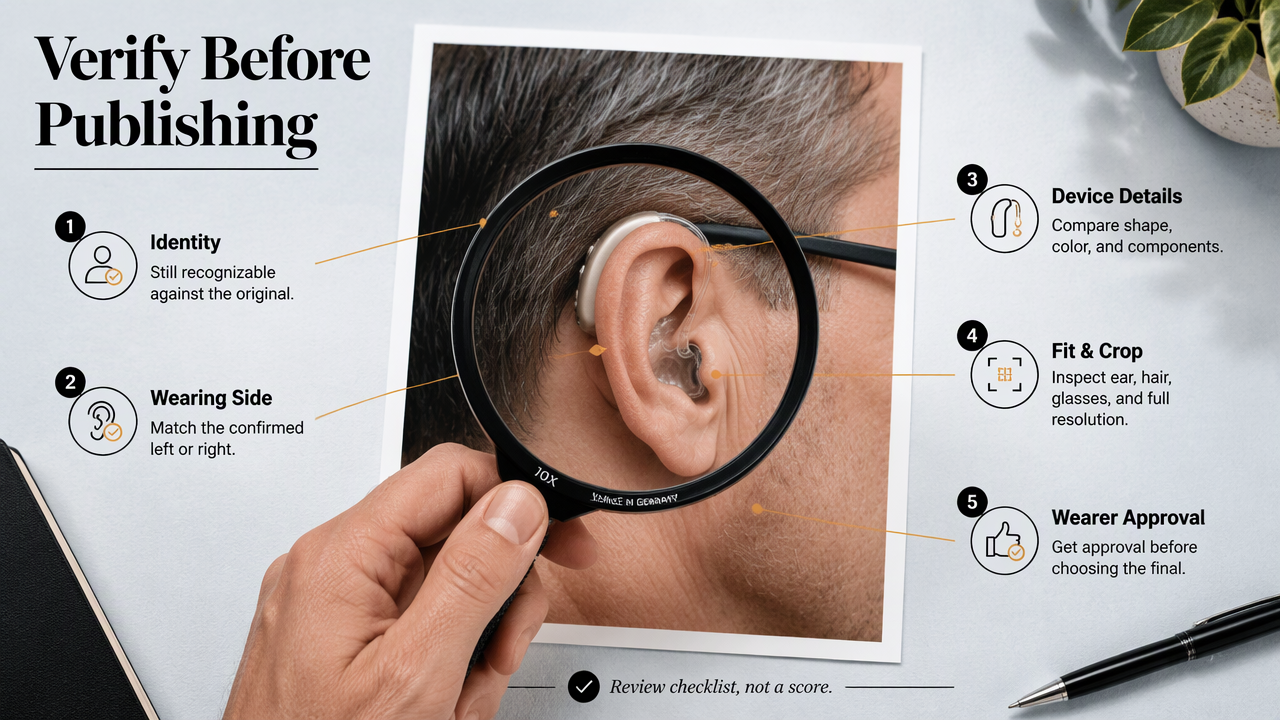
- Confirm facial identity and anatomical wearing side.
- Compare device shape, color, and visible components.
- Inspect contact with the ear, hair, and glasses.
- Check the full-resolution image and intended crop.
- Obtain the wearer's approval before selecting the final portrait.
A practical acceptance rubric
This rubric is a review checklist, not a validated performance benchmark.
| Check | Accept | Revise or reject |
|---|---|---|
| Identity | Face remains recognizable | Facial features substantially change |
| Wearing side | Matches confirmed reference | Device swaps sides or becomes duplicated |
| Device structure | Visible parts match the reference | Housing, wire, or earpiece is invented |
| Ear placement | Components sit plausibly | Device floats or passes through skin |
| Occlusion | Hair and glasses overlap naturally | Components merge with frames or hair |
| Final crop | Intended presentation remains intact | Cropping distorts or unintentionally hides details |
A structurally incorrect device should stop publication even when the portrait otherwise looks excellent. Slight lighting differences may be acceptable; a disconnected wire is a different problem.
Choose the correction that preserves the most identity
If editing controls are available, a localized correction may preserve more of an already suitable face than regenerating the entire portrait. The corrected area still needs another inspection because nearby hair, skin, or glasses can change.
When reliable correction isn't available, a real photograph with modest background or lighting edits is a sensible alternative. For a small profile avatar, review both the enlarged image and the displayed size: structural errors may disappear at thumbnail scale without becoming acceptable.
The wearer's approval is the final identity check, not a substitute for inspecting the image.
Frequently asked questions about hearing-aid portraits
The most useful answers distinguish appearance choices from accuracy requirements.
Can a prompt alone preserve a hearing aid?
A prompt can specify device type, color, and anatomical side, but wording alone shouldn't be treated as proof of accurate reproduction. Reference photographs provide visible details that a description may miss. Where a service accepts references, the strongest practical approach combines a clear brief with side-by-side inspection of the generated result.
Should hearing aids always be visible in professional headshots?
Hearing aids don't need to be visible in every professional headshot. The wearer's preference, hairstyle, device design, and camera angle should guide the composition. If the chosen reference view shows the device, a faithful generated portrait should preserve it. Deliberately choosing another natural angle differs from unintentionally erasing a visible device.
Can the same workflow cover cochlear implant processors?
The reference-and-review workflow can also be applied to a cochlear implant's external processor, but the device description must change. Reviewers should compare the components actually visible in the source photographs rather than applying a generic hearing-aid template. The processor's placement and any visible connecting parts need their own checks.
Is an AI portrait suitable for a dating profile?
An AI portrait may suit a dating profile when it represents the person's current appearance honestly and follows the platform's rules. The face, hearing device, and other identifying details should remain recognizable. A flattering image that changes how someone actually looks is less useful than an authentic photograph with clear lighting.
Conclusion
A strong portrait brief starts with the person's preferred presentation and clear reference evidence. Before commissioning an AI photo generator for portraits with hearing aids, prepare the source set, record the device details, and establish the acceptance checklist. For a next step with Looktara, visit looktara.com to review the current portrait options, then build a brief around the intended profile and the wearer's approved appearance.
Generated by EarlySEO.com