
TL;DR
Choose an AI headshot tool by testing the complete workflow, from keyboard-only uploads to accessible downloads. Pair image descriptions with a trusted likeness check, and confirm privacy terms before submitting facial photos.
A professional headshot isn't accessible if its owner can't independently select, review, and download it. Choosing an AI photo generator for blind and low vision professionals therefore requires more than comparing attractive sample images. The buying decision should cover keyboard navigation, screen-reader feedback, magnification, and reliable photo descriptions.
Looktara is an option for professionals exploring AI-generated profile and brand imagery. A useful selection process starts with the intended destination, such as LinkedIn or a business website, then checks whether the entire workflow supports the person's preferred assistive technology.
Table of Contents
What makes an AI photo generator accessible?
An accessible AI photo generator lets blind and low vision professionals submit photos, choose settings, understand progress, compare results, and download images using their preferred assistive technology. Accessibility covers both the interface and the finished photo review; a usable upload button alone doesn't establish an independently usable service.
AI photo generator: Software that uses artificial intelligence to create or transform images from instructions, reference photos, or both.
Visual impairment: Partial or total loss of visual perception; access needs differ between people who use screen readers, magnification, high contrast, or combinations of these tools.
Generation and description serve different jobs
Image generation creates a photograph or illustration. Image description explains an existing image in words. A headshot workflow may need both, but descriptive software doesn't establish that a generated face accurately resembles the subject.
The 2021 review by Nantheera Anantrasirichai and David Bull examines artificial intelligence in creative industries. It provides background on creative AI, not a current accessibility assessment of individual headshot services.
Buying principle: Judge access across the complete task, not through an accessibility badge or a polished image gallery.
A job seeker may prioritize likeness and a clear facial crop. A freelancer may need matching portraits across a website and proposal template. Neither goal requires assuming that blindness or low vision implies a particular pose, expression, or visual style.
How can accessibility be tested before purchase?
- Test keyboard access from signup through photo selection.
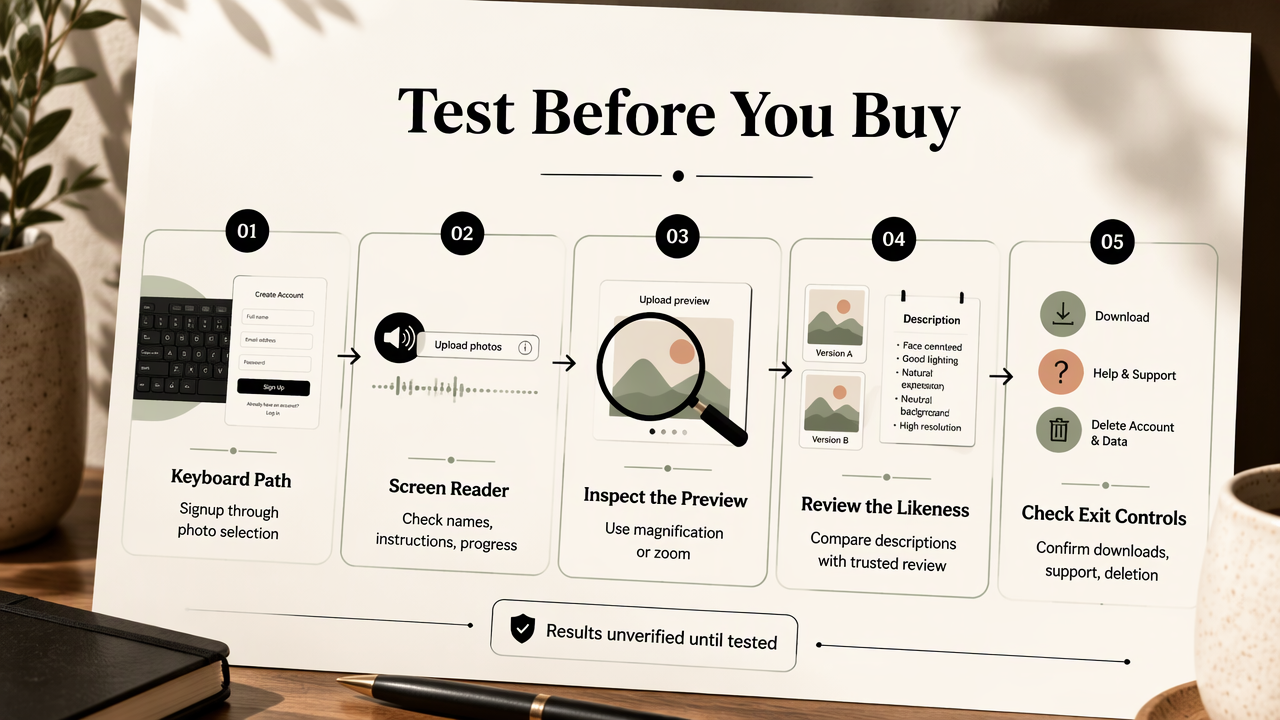
- Check screen-reader names, instructions, and progress announcements.
- Inspect uploads and previews with magnification or zoom.
- Compare outputs using descriptions and a likeness review.
- Confirm downloading, support, and deletion controls before committing to a paid batch.
Requirements table and verification status
The supplied research contains no hands-on keyboard, upload, screen-reader, or photo-review testing of specific generators. The table below is a test protocol, not a verified product scorecard. Each result remains unverified until someone completes and records the corresponding task.
| Requirement | Test to perform | Passing evidence | Current status |
|---|---|---|---|
| Keyboard navigation | Use Tab, Shift+Tab, Enter, and Escape |
Every control works; focus remains visible and logical | Unverified |
| Upload instructions | Read requirements before selecting files | Formats, quantity, and photo guidance appear as text | Unverified |
| Screen-reader labels | Navigate buttons, fields, and previews | Controls have meaningful names and states | Unverified |
| Progress and errors | Submit a job and trigger an upload error | Status and recovery instructions are announced | Unverified |
| Low vision access | Increase zoom and adjust display settings | Text and controls remain readable and reachable | Unverified |
| Accessible photo review | Compare several generated portraits | Each image has a distinct identifier and usable description | Unverified |
| Download and deletion | Save a selected image and locate deletion controls | Both tasks work without pointer-only interaction | Unverified |
Record evidence rather than impressions
A useful test record names the browser, operating system, assistive technology, date, task, and observed result. Examples include NVDA with a desktop browser, VoiceOver on an iPhone, or a magnified desktop display.
An unlabeled button should be recorded as an observable finding, such as "download control announced only as button," rather than a broad claim that the entire service is inaccessible. Request written answers from support when a trial doesn't expose a feature.
A short trial should include an ordinary upload and a recoverable error. Successful navigation through a landing page says little about a payment dialog, processing screen, or results gallery.
How should generated headshots be reviewed?
- Define the intended professional use and desired appearance.
- Select recent reference photos with consistent identity details.
- Generate a small batch with restrained styling.
- Request structured descriptions for each candidate.
- Check likeness with a trusted reviewer, then inspect the final crop and save the approved image.
Use a repeatable description checklist
A useful description identifies observable details rather than declaring a portrait attractive or professional. It should separate visible information from uncertain interpretation.
- Composition: Face position, crop, head angle, and visible shoulders.
- Expression: Mouth position, apparent smile, and eye direction.
- Presentation: Clothing, hairstyle, glasses, and background.
- Image quality: Blur, uneven lighting, unusual edges, and visible distortions.
- Consistency: Differences between candidates and the reference photographs.
A sample instruction could request: Describe candidate A in that order, flag uncertainty, and avoid guessing personality, competence, or disability. This gives a reviewer a repeatable structure without encouraging subjective rankings.
Separate visual description from identity confirmation
A description can explain that an image contains glasses and a navy jacket. It cannot, by itself, prove that facial proportions match the person. A trusted reviewer who knows the subject can help check likeness while leaving style decisions with the professional.
The 2021 report On the Opportunities and Risks of Foundation Models, by Rishi Bommasani and colleagues, discusses foundation-model opportunities and risks. That broader context supports treating generated output as something to evaluate, not as automatic evidence of accuracy.
Use modest requests: a plain background, familiar clothing, and natural lighting. Preserve identity details that matter to the subject, including glasses or visible assistive devices. AI processing shouldn't become an instruction to erase disability.
Review rule: Keep description, likeness, and personal preference as three separate checks.
How Looktara handles this
Looktara fits this selection process as a candidate for professional imagery, with the brief centered on the person's identity, intended audience, and publishing destination. A practical starting point at looktara.com is a written image brief that can also guide accessible review and conversations with support.
Build a brief around the professional role
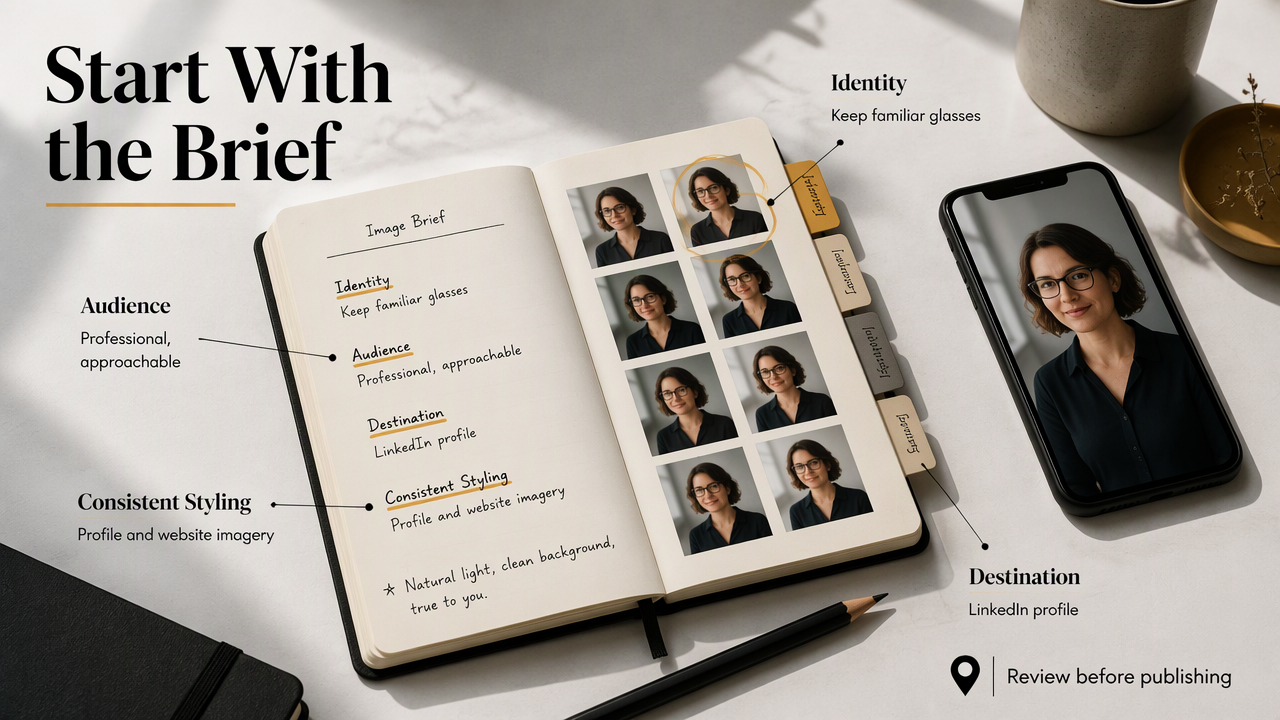
For a LinkedIn headshot, the brief might specify a shoulders-up crop, a quiet background, familiar glasses, and clothing appropriate to the person's work. A business owner could request consistent styling across a profile portrait and website imagery.
Fitness professionals planning companion business visuals can explore Looktara's fitness LinkedIn product-photo page. That destination concerns product imagery, so the brief should distinguish it from a personal headshot.
A fitness creator preparing a show launch can also consider fitness podcast-cover imagery as a separate deliverable. Portraits and promotional graphics need different descriptions and approval criteria.
- Specify the publishing destination and crop.
- List identity details that should remain consistent.
- Define the desired background and clothing.
- Set a review method before ordering a larger batch.
Keep the first project small enough that every candidate can receive a meaningful review.
FAQ: Accessible AI headshot decisions
Accessible headshot decisions depend on the person's working setup, consent preferences, and ability to review the finished image.
Can a blind professional select an AI headshot independently?
Independent selection is possible when the service supports nonvisual navigation and provides useful ways to compare outputs. Structured image descriptions can support decisions about composition, clothing, and background. A likeness check may still benefit from someone familiar with the subject, but that assistance shouldn't replace the professional's control over the final choice.
What privacy questions matter before uploading facial photos?
Before uploading, the professional should check retention periods, deletion options, training use, third-party processing, and who can access source images or outputs. These questions apply to both generation services and separate description tools. Uploading the same portrait to another service creates another data-sharing decision, so consent and necessity should be considered at each step.
Are image descriptions enough for a LinkedIn profile photo?
Image descriptions help assess visible presentation, but they aren't a complete quality check. The final selection should also preserve recognizable identity and work at the destination's displayed crop. A reviewer can compare the exported file with reference photos, while the professional decides whether the clothing, expression, and overall presentation fit the intended role.
Conclusion
The best AI photo generator for blind and low vision professionals supports control over both the process and the result. The next step is concrete: write a short portrait brief, run the seven accessibility checks, record the findings, and review one small batch before expanding the project. Keep the approved image, its description, and the review notes together for future profile updates.
Generated by EarlySEO.com