
TL;DR
AI headshots are better when a profile needs upgraded clothing, lighting, background, and brand consistency. LinkedIn photo filters are enough when the original image is already sharp, recent, well-lit, and professionally framed.
A profile photo can shape a first impression before a recruiter, client, or date reads a single line of text. The choice between an AI headshot vs LinkedIn photo filters comes down to how much the original image needs to change: small polish favors filters, while clothing, lighting, background, and consistency problems favor a purpose-built generator like Looktara. LinkedIn: an American business and employment-oriented social networking service used globally for professional networking, career development, job posting, and job searching. Social media filter: a digital image effect that can alter color, lighting, texture, and facial appearance, often using facial recognition and computer-generated effects.
Table of Contents
What is the difference between an AI headshot and LinkedIn photo filters?
An AI headshot creates or reconstructs a professional portrait from source photos, while LinkedIn photo filters lightly edit an existing image through color, exposure, crop, and style adjustments. Filters preserve the original photo structure; headshot tools can change attire, background, lighting direction, and overall studio polish.
The distinction matters because LinkedIn is built for professional identity, not casual image experimentation. A filter can improve a strong photo, but it usually cannot fix a messy room, poor outfit, harsh shadows, or inconsistent personal branding across channels.
Research on machine learning applications continues to show how quickly AI systems are spreading across professional domains. For context, Hoang and Wiegratz's 2022 review of machine learning methods examined recent applications and future prospects in finance, a separate field but a useful signal that AI image workflows are part of a wider shift toward automated professional tools (European Financial Management).
Side-by-side comparison for profile decisions
| Evaluation area | AI headshot | LinkedIn photo filters |
|---|---|---|
| Main purpose | Build a polished portrait for professional use | Improve an existing profile image |
| Best source image | Several clear selfies or casual photos | One already strong photo |
| Clothing control | Can create business, smart casual, or creator-ready looks | Cannot truly replace unsuitable clothing |
| Background control | Can create clean studio, office, or branded backgrounds | Can blur, crop, or tint the current background |
| Lighting control | Can simulate balanced studio lighting | Can brighten or adjust contrast only |
| Authenticity risk | Higher if facial features look over-edited | Lower if edits stay subtle |
| Best fit | Job seekers, founders, freelancers, creators | Professionals with a good recent photo |
Key insight: filters are finishing tools; AI headshots are rebuilding tools. The better choice depends on whether the current image needs polish or a full professional reset.
When are LinkedIn photo filters enough?
LinkedIn photo filters are enough when the original image already looks professional, current, and recognizable. A simple edit works best when the face is sharp, the eyes are visible, the outfit fits the intended role, and the background is not distracting.
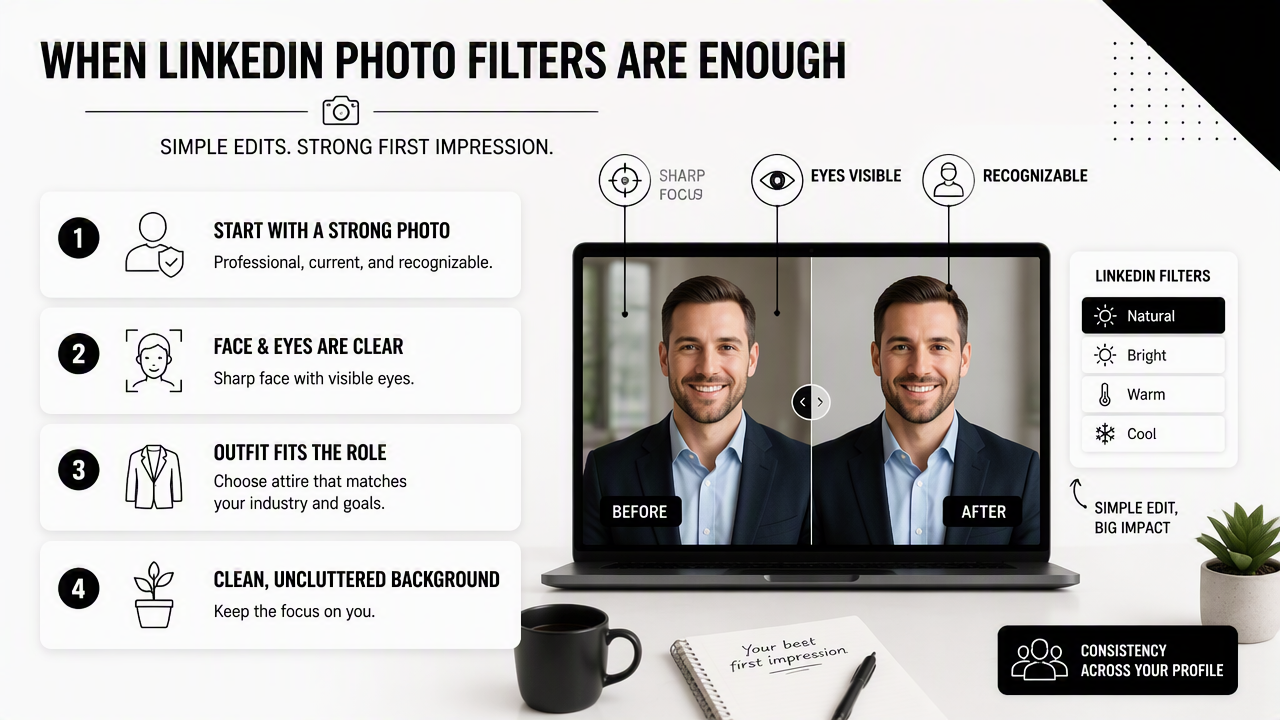
Filters are also useful when the goal is consistency rather than transformation. A recruiter should still see the same person who may appear in an interview, on a company site, or at an event.
A filter-first approach works well for these situations:
- The photo was taken within the past year.
- The face is evenly lit without heavy shadows.
- The outfit matches the role, industry, or audience.
- The background is simple enough to crop or blur.
- The expression feels natural, calm, and approachable.
- The final image still looks like a real photo, not a beauty app result.
Professionals who already have a good portrait can also use filters to align profile visuals with business content. For example, founders selling fitness products may pair a clean profile image with branded posts from a fitness Shopify LinkedIn post AI generator, while keeping the headshot itself understated.
Filter settings that usually look professional
Subtle edits perform better than dramatic edits on professional networks. LinkedIn profiles should usually avoid high-saturation presets, heavy smoothing, extreme whitening, fake lens blur, or dramatic contrast that changes skin texture.
A safe editing checklist includes:
- Crop the image from the chest or shoulders up.
- Increase brightness only enough to reveal the eyes.
- Reduce background distractions with a light blur or tighter crop.
- Keep skin texture visible.
- Export at a high enough resolution for profile display.
A good filter should make the image easier to read, not make the person harder to recognize.
When is a purpose-built AI headshot better?
A purpose-built AI headshot is better when the profile photo needs a better outfit, cleaner setting, stronger lighting, or a consistent look across multiple professional channels. It is especially useful when scheduling a studio shoot would be slow, expensive, or unrealistic.
AI headshots help solve problems that filters usually cannot solve. A filter can brighten a hoodie photo, but it cannot reliably turn it into a polished business portrait. A filter can blur a background, but it cannot create a coherent office, studio, or editorial setting.
Common use cases include:
- Job seekers updating LinkedIn before applications.
- Consultants needing a credible client-facing image.
- Founders matching a LinkedIn profile to a website bio.
- Remote workers without access to a studio setup.
- Creators who need professional photos across platforms.
- Dating app users who want polished but still natural images.
AI headshots are also helpful when a person needs several versions. A founder might need a formal LinkedIn photo, a warmer speaker bio image, and a cleaner visual for a personal site. Entrepreneurs building a visual brand can pair a strong portrait with a fitness Shopify website hero AI generator or a fitness Shopify landing page banner AI generator to keep the broader brand system consistent.
How Looktara handles professional profile imagery
The Looktara platform is most useful when a profile image is part of a wider personal brand, not a one-off upload. It supports visual consistency across profile-style assets, social posts, landing pages, ads, and creator content, which matters for founders, freelancers, and influencers who show up in more than one feed.
A practical workflow looks like this:
- Select a headshot style that matches the intended audience.
- Keep facial identity natural and recognizable.
- Match clothing formality to the role or offer.
- Use a simple background that does not compete with the face.
- Carry related colors and tone into supporting brand visuals.
Looktara works best when the desired result is polished, current, and platform-aware rather than heavily stylized.
How should a profile photo be evaluated before publishing?
A profile photo should be evaluated by recognition, professionalism, lighting, background, platform fit, and consistency with the person's broader digital presence. The best image is not always the most polished image; it is the most credible image for the audience.
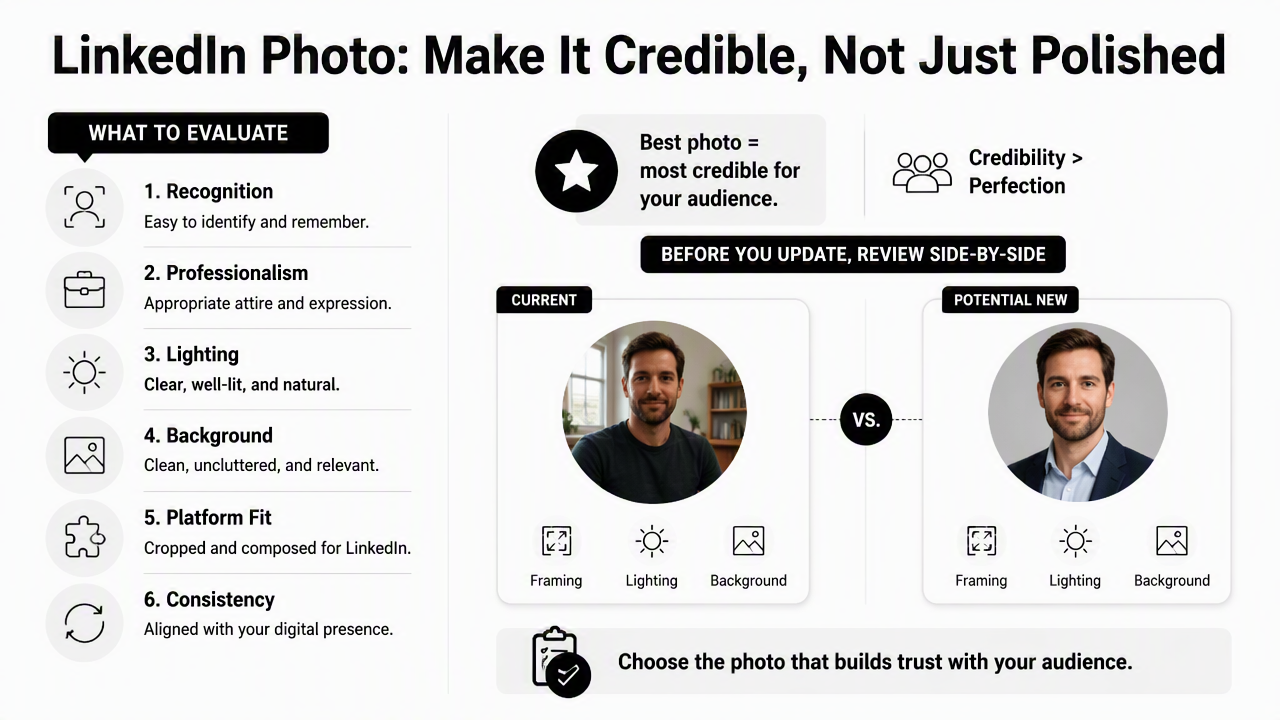
Before updating a LinkedIn photo, a side-by-side review is more reliable than judging one edited image in isolation. The original, filtered version, and AI-generated version should be compared at small size, because recruiters and visitors often see a thumbnail first.
Pre-publish scoring criteria
| Criterion | Strong signal | Warning signal |
|---|---|---|
| Recognizability | Looks like the person in real life | Face shape, eyes, or smile feel altered |
| Clothing | Matches role expectations | Too formal, too casual, or costume-like |
| Lighting | Eyes and face are clear | Shadows, glare, or plastic-looking skin |
| Background | Clean, simple, relevant | Busy room, odd blur, fake depth |
| Expression | Calm, confident, approachable | Stiff, exaggerated, or uncanny |
| Consistency | Fits LinkedIn, website, and social presence | Looks unrelated to other brand visuals |
Profiles tied to business growth need extra consistency. A consultant or creator may use one strong headshot on LinkedIn, then adapt related visuals for a fitness Instagram Facebook ad AI generator or a fitness Shopify YouTube thumbnail AI generator. The portrait does not need to match every asset exactly, but the tone should feel connected.
Publishing test: if the photo would feel believable on a LinkedIn profile, conference page, client proposal, and email signature, it is usually strong enough.
Common editing mistakes to avoid
Over-editing is the main risk with both approaches. Heavy smoothing, altered facial structure, artificial eye shine, and unrealistic backgrounds can weaken trust, especially in hiring, consulting, and executive settings.
Common mistakes include:
- Using a glamour filter for a professional networking platform.
- Choosing AI clothing that does not match the industry.
- Cropping too close to the face.
- Leaving strange artifacts near hair, glasses, hands, or collars.
- Uploading a photo that looks much older than the current person.
- Using different visual identities across LinkedIn, websites, and social profiles.
Authenticity should guide the final choice. A slightly imperfect but believable image often beats a flawless portrait that feels synthetic.
What should professionals expect from AI profile photos in 2027?
AI profile photos in 2027 will likely become more personalized, more consistent across platforms, and more closely tied to brand systems. The strongest tools will not only create a headshot; they will help keep identity, tone, clothing, background, and channel-specific sizing aligned.
The market is already moving beyond single-image edits. Search results now include AI headshot generators, LinkedIn headshot apps, and AI photo editors, with competitors framing the choice around realism, cost, and speed. The next phase will likely focus on trust signals: likeness accuracy, disclosure norms, artifact detection, and platform-specific best practices.
For job seekers, the safest 2027 approach will still be simple: choose the image that improves credibility without creating confusion. For founders and creators, the advantage will come from repeatable visual identity across LinkedIn, websites, ads, and video thumbnails.
A smart selection process:
- Use filters when the photo already works.
- Use AI headshots when clothing, lighting, or background needs a reset.
- Check the result at thumbnail size and full size.
- Compare the image against the current personal brand.
- Replace anything that looks artificial, even if it looks polished.
Looktara fits this shift because modern profile imagery rarely lives in one place. Professionals who want a connected visual presence can visit looktara.com and build supporting assets around a clear, consistent professional look.
FAQ
Is an AI headshot acceptable for LinkedIn?
An AI headshot is acceptable for LinkedIn when it remains recognizable, professional, and honest to the person's real appearance. The image should not change facial structure, age, or identity. It works best as a polished professional portrait, not as a fantasy version of the person.
Do LinkedIn photo filters look more authentic than AI headshots?
LinkedIn photo filters often look more authentic when the original photo is already strong, because the edit changes less. AI headshots can look equally credible when generated carefully, but they carry more risk if clothing, skin texture, hair, or background details appear artificial.
Which option is better for job applications?
Job applications usually benefit from the most credible and role-appropriate image. Filters are better when a recent professional photo only needs polish. AI headshots are better when the available photos have casual clothing, weak lighting, distracting backgrounds, or no consistent professional style.
Can the same image work for LinkedIn and dating apps?
The same image can work across platforms only when the tone fits both contexts. LinkedIn usually favors professional clarity, while dating apps often reward warmth and approachability. A clean, natural headshot can work for both, but overly corporate or heavily edited images may feel mismatched.
What is the final choice in AI headshot vs LinkedIn photo filters?
The final choice in AI headshot vs LinkedIn photo filters depends on the starting image. Filters are enough for small improvements to a good photo. AI headshots are better when a profile needs improved clothing, lighting, background, and repeatable brand consistency across professional channels.
Conclusion
The best profile photo choice is practical, not trendy. If the source image is sharp, recent, well-lit, and professionally framed, a light filter can be enough. If the image needs better clothing, cleaner lighting, a stronger background, or a consistent visual identity across platforms, a purpose-built AI headshot is the stronger option.
For the next profile update, compare three images before publishing: the original, a subtle filtered version, and an AI-generated headshot. Score each one for recognizability, role fit, lighting, background, and consistency. For broader brand assets, head to looktara.com and build a visual system that supports the same professional impression beyond the profile photo.
Generated by EarlySEO.com