
TL;DR
AI headshot generators are best for creating multiple polished professional looks from existing photos, while smartphone portrait mode is best when authenticity, speed, and full control over the original image matter most. For LinkedIn, resumes, founders, creators, and dating profiles, the best choice depends on whether the goal is to improve one real photo or generate a set of branded portraits.
A strong profile photo now has to work harder than ever, from LinkedIn search results to founder bios, remote-team pages, creator media kits, and dating apps. The AI headshot generator vs smartphone portrait mode decision comes down to control: phone portraits capture a real moment, while AI tools create polished variations from source images. AI headshot generator: software that creates professional-looking portraits from uploaded selfies or casual photos using artificial intelligence. Smartphone portrait mode: a camera feature that uses computational photography to keep a face sharp while softening the background. For people comparing both paths, Looktara offers AI image workflows that can support profile photos, brand assets, and related visuals alongside tools such as a resume headshot AI generator.
Table of Contents
What is the difference between an AI headshot generator and smartphone portrait mode?
An AI headshot generator creates new professional portrait variations from uploaded images, while smartphone portrait mode edits a real camera capture with background blur and light processing. The first changes setting, outfit, and polish more dramatically; the second preserves the original face, expression, room, lighting, and camera angle.
Portrait mode is closest to a mini photo shoot. A person still needs good light, a clean background, flattering posture, and several attempts. Modern phones can blur backgrounds well, but they cannot turn a dim kitchen photo into a studio portrait without obvious editing.
AI headshot tools solve a different problem. They can create business attire, different backgrounds, consistent crops, and multiple usable options from a batch of input images. The tradeoff is that generated results must be checked carefully for likeness, facial details, and natural texture.
Key insight: smartphone portrait mode improves a real photo, while AI headshot software creates a new professional interpretation of a person.
Core terminology that matters
- Likeness: how closely the final image matches the person in real life.
- Bokeh: the soft background blur created by portrait mode or simulated by editing tools.
- Training images: the uploaded photos an AI tool uses to infer face shape, hair, age cues, and expression.
- Professional polish: the combined effect of lighting, wardrobe, background, crop, and facial clarity.
- Portrait orientation: a vertical rectangular format commonly used for headshots, profile photos, and mobile-first viewing.
How do the two options compare for professional profiles?
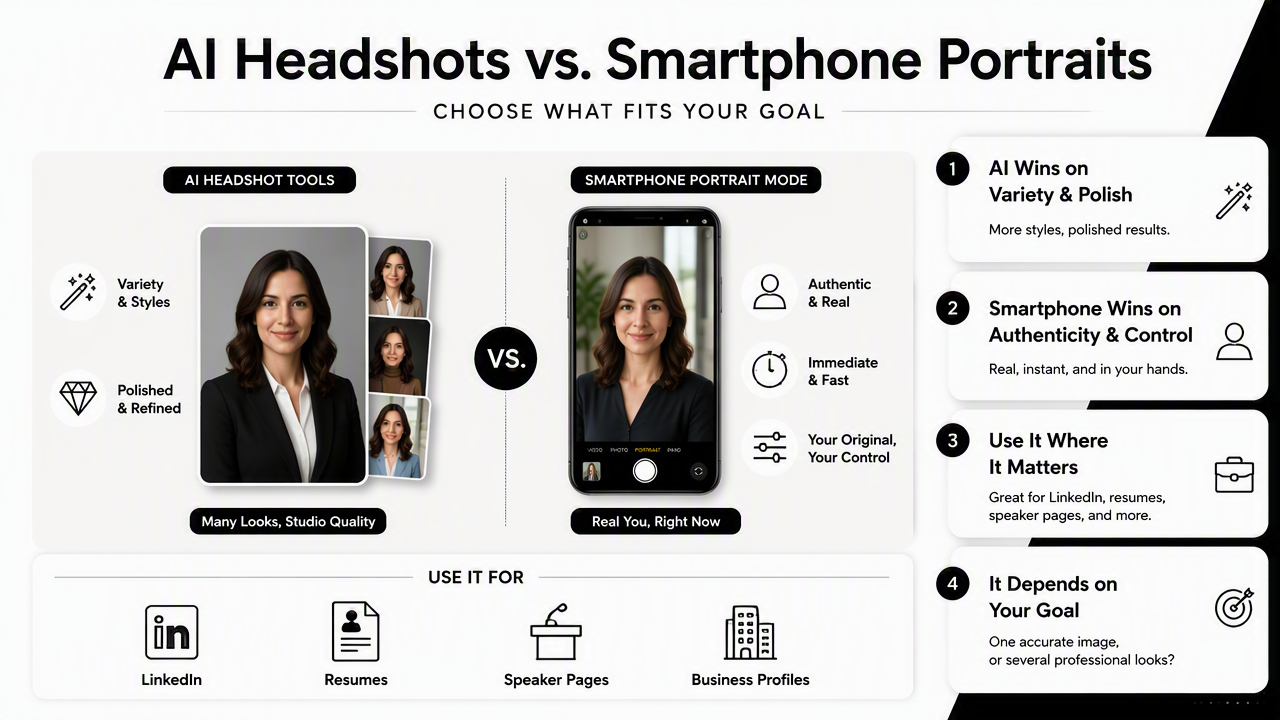
AI headshot tools usually win on variety and polish, while smartphone portrait mode wins on authenticity, immediacy, and original-photo control. For LinkedIn, resumes, speaker pages, and business profiles, the better option depends on whether one accurate image is enough or several professional looks are needed.
Search results for this topic show strong interest in both convenience and trust. Real-time SERP research found 9,980,000 results for this comparison, and competitor pages often focus on broad AI headshot reviews rather than the practical phone-photo decision. That gap matters because most people already have a phone portrait before considering AI.
Side-by-side decision table
| Factor | AI headshot generator | Smartphone portrait mode | Better fit |
|---|---|---|---|
| Convenience | Upload photos, wait for generated options | Shoot immediately on a phone | Phone for same-day use |
| Realism | Can look polished, but needs review for likeness | Real capture of face and setting | Phone for authenticity |
| Background control | Strong control over office, studio, outdoor, or branded looks | Limited to the actual location | AI for clean professional backdrops |
| Outfit variety | Can generate business attire and different styles | Requires real wardrobe changes | AI for multiple looks |
| Cost | Usually paid per pack or subscription | No extra cost if a phone is available | Phone for budget |
| Polish | High when source images are strong | Depends heavily on lighting and camera skill | AI for consistent finish |
| Risk | Possible facial distortions or over-smoothing | Possible bad lighting, clutter, or awkward blur | Tie, with different risks |
Best choice by profile type
Different platforms reward different signals. A recruiter reviewing a LinkedIn profile may prefer clarity and trust. A founder page may need brand consistency. A creator profile may need visual identity across several formats.
- LinkedIn job search: use the most realistic image with direct eye contact, clean lighting, and simple clothing.
- Resume or portfolio site: prioritize a polished head-and-shoulders crop that matches the role.
- Founder or consultant bio: use a consistent studio-style image across a website, pitch deck, and social profiles.
- Dating apps: favor warmth and authenticity over heavy polish.
- Creator pages: match the headshot style to thumbnails, banners, and promotional graphics.
For broader personal brand visuals, a profile image often sits beside supporting assets such as a website hero image generator or a landing page banner AI generator. Consistency across these placements can make a small brand look more intentional.
When does smartphone portrait mode produce the better headshot?
Smartphone portrait mode produces the better headshot when the available setting, lighting, outfit, and expression already look professional. A phone portrait is also the safer choice when exact likeness matters more than wardrobe variety, such as regulated industries, internal company directories, or relationship-focused profiles.
The strongest phone portraits usually come from simple choices. Natural window light beats overhead lighting. A plain wall beats a busy office. A real smile beats a frozen corporate expression.
A phone camera also keeps full control in the person's hands. No generated suit, altered hairstyle, or invented studio is added. That makes the image easier to trust, especially for dating apps, networking events, and roles where approachability matters.
Phone portrait checklist
- Face a large window or open shade instead of direct sun.
- Stand several feet from the background so portrait blur looks natural.
- Use a neutral wall, bookshelf, office corner, or outdoor greenery.
- Keep the camera at eye level to avoid distortion.
- Take 20 to 40 frames with small expression and angle changes.
- Crop to head-and-shoulders for LinkedIn and resume use.
- Avoid aggressive filters, fake skin smoothing, and extreme background blur.
A smartphone portrait works best when the scene is already close to professional and only needs careful capture.
Phone portrait limitations to watch
Portrait mode can struggle with glasses, flyaway hair, complex backgrounds, and ears or shoulders near the blur boundary. The result may look acceptable on a phone screen but less polished on a desktop profile, company bio page, or media kit.
The biggest limitation is variety. A phone can capture only the clothes, location, and lighting available at that moment. For someone needing a business-formal headshot, a casual creator image, and a website bio portrait, a single phone session can feel restrictive.
When does an AI headshot generator make more sense?
An AI headshot generator makes more sense when a person needs several polished looks quickly without booking a photographer, changing outfits, or finding studio lighting. The best use cases include LinkedIn refreshes, remote-worker profiles, consultant bios, founder pages, creator branding, and resume-focused portraits.
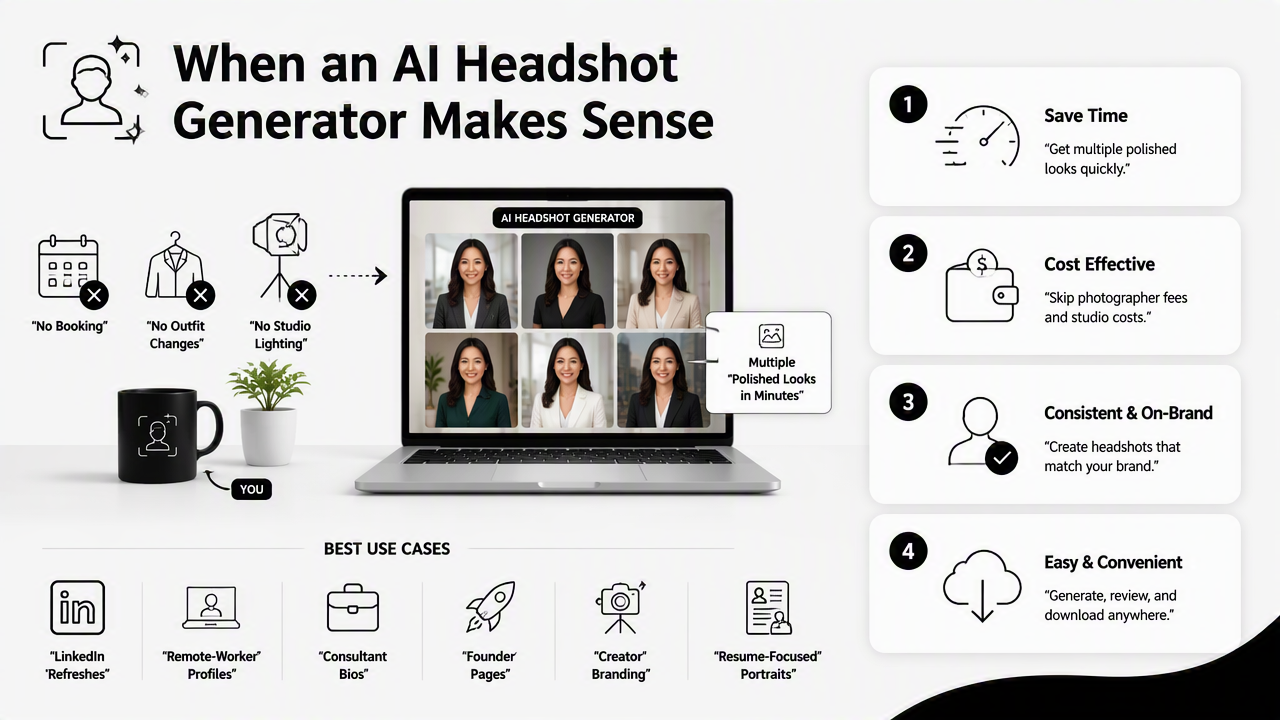
AI works especially well when source photos are recent, varied, and clear. A strong input set gives the system more accurate signals about face shape, skin tone, hair, expression, and age. Casual selfies can become office, studio, or lifestyle portraits with more background control than a phone can provide alone.
Research on synthetic media also supports careful review. A 2023 survey in Frontiers in Big Data examined deepfake methods and detection challenges across generated media, showing why identity-related outputs deserve scrutiny rather than blind trust (Khanjani, Watson, and Janeja, 2023). Headshots are lower-risk than many synthetic media uses, but authenticity still matters.
How Looktara handles professional image needs
The Looktara platform is useful when a professional profile photo needs to sit inside a wider brand system. A headshot may appear next to a social post, ad creative, creator thumbnail, or product page, so style consistency matters beyond the face alone.
AI generation also helps test different visual directions before committing to one public identity. A founder can compare classic studio, fitness-brand, casual expert, and social-first looks, then carry the same aesthetic into assets such as an X post AI generator or Instagram and Facebook ad AI generator.
AI headshot quality checklist
- Use recent inputs: photos should reflect current hair, facial hair, age, and glasses.
- Upload varied angles: front-facing, slight side angles, indoor shots, and outdoor shots help.
- Check small details: teeth, fingers, earrings, collars, and eyeglass frames can reveal errors.
- Compare against real photos: the final image should feel recognizable to colleagues or friends.
- Avoid misleading edits: generated clothing and settings should match plausible professional life.
- Export platform-specific crops: LinkedIn, resumes, websites, and dating apps use different framing.
How should the final choice be made in 2026?
The final choice should be based on the intended platform, realism needs, number of required looks, and available source photo quality. A strong phone portrait is enough for many personal profiles, while AI generation becomes more valuable when one person needs several polished images across professional and promotional channels.
For a job seeker with one strong window-lit phone photo, portrait mode plus light editing may be the most honest path. For a consultant, founder, remote worker, or creator building a consistent image across channels, AI can save time and expand style options.
A practical hybrid approach often works best. Start with new phone portraits in good light. Then use the best images as AI inputs if more wardrobe, background, or brand variety is needed. This keeps likeness grounded while still gaining the polish of generated options.
Simple decision guide
- Choose phone portrait mode when authenticity, zero extra cost, or immediate posting matters most.
- Choose AI generation when multiple professional looks, clean backgrounds, or wardrobe variety matter most.
- Choose both when the goal is a realistic base image plus polished variations for LinkedIn, websites, and social content.
By 2027, profile-photo expectations will likely become more platform-specific. LinkedIn, creator platforms, and dating apps may reward different levels of polish, so image sets may matter more than a single universal headshot. People already building multi-channel brands can pair headshots with assets such as shorts thumbnail AI generation to keep visuals consistent.
FAQ about AI headshots and phone portraits
AI headshots and smartphone portraits can both work well, but each answers a different profile-photo problem. The most reliable choice is the one that matches the platform, preserves recognizable likeness, and avoids visual signals that feel fake, cluttered, or overly edited.
Is an AI headshot acceptable for LinkedIn?
An AI headshot can be acceptable for LinkedIn when it looks realistic, current, and professionally appropriate. The image should match the person's real appearance, avoid exaggerated smoothing, and use clothing that fits the industry. If the result looks like a corporate stock model instead of a real professional, a phone portrait is usually safer.
Can smartphone portrait mode replace a professional headshot?
Smartphone portrait mode can replace a professional headshot for many everyday uses when the lighting, background, and expression are strong. It may not replace a photographer for executive portraits, team-wide brand consistency, press kits, or high-stakes speaking pages where direction, lighting, and retouching standards are higher.
What source photos work best for an AI headshot generator?
The best source photos are recent, sharp, varied, and taken in different lighting conditions. Clear views of the face, natural expressions, and minimal filters help the AI preserve likeness. Blurry selfies, old photos, sunglasses, heavy makeup changes, or extreme angles can reduce realism in the final portrait set.
Should dating app photos use AI or phone portraits?
Dating app photos usually benefit from phone portraits because authenticity and warmth matter more than corporate polish. AI can help create a clean primary image, but results should still look casual, current, and believable. A mix of natural phone photos and one polished portrait often feels more trustworthy.
Conclusion
The AI headshot generator vs smartphone portrait mode choice is not about one tool replacing the other. Phone portraits are best for realistic, low-cost images captured in a real setting. AI headshot tools are best for creating several polished looks when background, wardrobe, and cross-platform consistency matter.
A sensible next step is to capture fresh phone portraits in good light, select the most accurate images, then generate a small AI set for comparison. For professionals who need profile photos plus matching brand visuals, working with Looktara can turn one headshot refresh into a more complete visual system. Visit looktara.com and start with the profile image that needs the most immediate upgrade.
Generated by EarlySEO.com